
Cue Complete
For presentations, meetings, classes, interviews, workshops, and any talk where the important points matter more than the exact words.
See the live checklistDefine the points that matter, speak naturally, and keep a quiet eye on what you’ve covered. Cue Complete is a live checklist for people who don’t want to read a script.
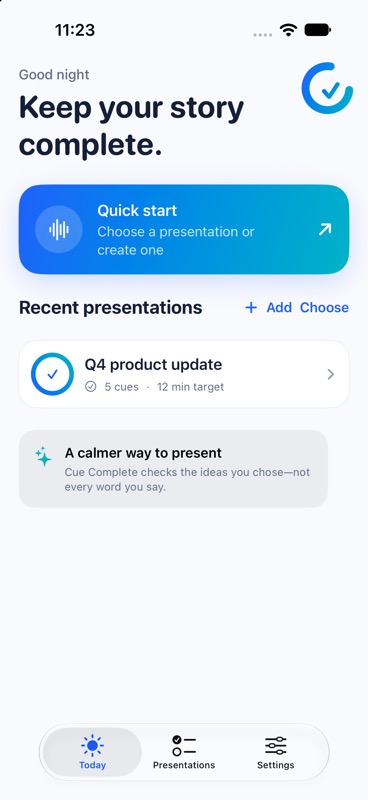
Built for the room you’re walking into, whatever you need to say.
For presentations, meetings, classes, interviews, workshops, and any talk where the important points matter more than the exact words.
See the live checklistFour quiet steps between preparation and confidence.
Type, dictate, paste, or import the points you need to cover.
The app listens while you present naturally—no scrolling script required.
Glanceable states show what is open, emerging, covered, or manually corrected.
See missed, late, timed, and manually overridden points after the session.
Stay oriented during an active session without turning away from the room or reaching for your phone.
Check your coverage fraction, the next open cue, and remaining time without leaving the moment.
Start, pause, resume, or end an active presentation directly from your wrist.
Speech recognition, scoring, cue corrections, and reports stay on the iPhone. The Watch receives only the session state it needs.
Requires Cue Complete on iPhone and a paired Apple Watch. Cue coverage can also trigger a haptic confirmation on the Watch.
A live checklist that stays in the background until you need it.
Privacy is part of the product experience, not a footnote.
Cue Complete supports iPhone and iPad on iOS 17 or later. Apple reports on-device speech support at runtime for the selected device and language. Cue Complete checks before a session; if it is unavailable, the app tells you and does not switch to network processing. Hybrid is a separate opt-in.
The microphone is used only while the session is listening. Raw audio is not saved to disk or uploaded to Cue Complete. Hybrid recognition is an explicit opt-in to Apple’s network-assisted service when on-device recognition is unavailable.
Transcripts are kept in memory by default and discarded after the session. If you enable local transcript saving, the completed text stays with that report on your device.
A plain-language map of the app’s local data handling.
The Cue Complete download link will appear here when the app is released. Until then, explore the product direction and see what is already running in the iPhone app.
No. Cue Complete is a checklist of requirements, not a script. It is designed to let you speak naturally while keeping track of the points you chose in advance.
Yes, in On-device only mode when Apple reports support for your device and selected language. Cue Complete checks before each session. If that capability is unavailable, the app stops speech recognition and explains why—it does not silently switch to network processing. Hybrid is an explicit opt-in that may use Apple’s network-assisted recognition.
Raw microphone audio is not recorded or saved. The live transcript stays in memory by default and is discarded after the session. If you enable Save transcript locally, the completed transcript is saved with the session report in the app’s protected storage on your iPhone or iPad. Cue results, timing, reports, and checkpoints are local too; exports happen only when you choose to share them.
Cue Complete requires iOS 17 or later and supports iPhone and iPad. There is not one dependable model cutoff: Apple reports on-device speech support at runtime based on the device, selected language, and current speech-service availability. Cue Complete checks that capability before each session and shows the result in the app. If Apple reports it unavailable, On-device only mode stops without sending speech to network processing; Hybrid can use network-assisted recognition only when you explicitly choose it.
Yes. See the Apple Watch companion section above for its glanceable coverage, session controls, haptic confirmations, and iPhone pairing details.
Yes. Manual check and uncheck controls are always available. The user’s judgment beats the automated suggestion.
Yes. Cue Complete is designed for any spoken situation where you have a short set of points to cover, including meetings, classes, interviews, workshops, and presentations.